
How to change my username?
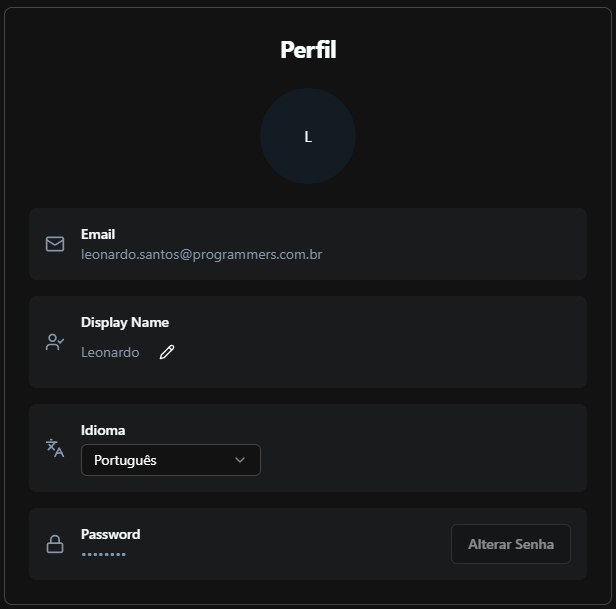
You can change your display name at any time in Prodgy.
SettingsSteps to change your name
Section titled “Steps to change your name”- Access settings
- Click on “Profile”
- Click on the edit icon
- Enter your new name
- Click on “Save”
Tips
Your name will be updated across all projects and organizations. The username is different from your login email.
Role / Position
Section titled “Role / Position”Right below your display name, the Profile screen shows a Role / Position field. Use it to record your job title (e.g. “Senior Product Manager”, “Tech Lead”, “Data Scientist”). This field is read by AI agents through the get_my_profile MCP tool, so any agent connected to Prodgy can tailor its responses to your role.
Click the edit icon next to the field to update it, then click the check icon to save. Leave it empty if you prefer not to share a role with AI clients.
For questions or issues, consult Prodgy support or the official documentation.